Your car, always located
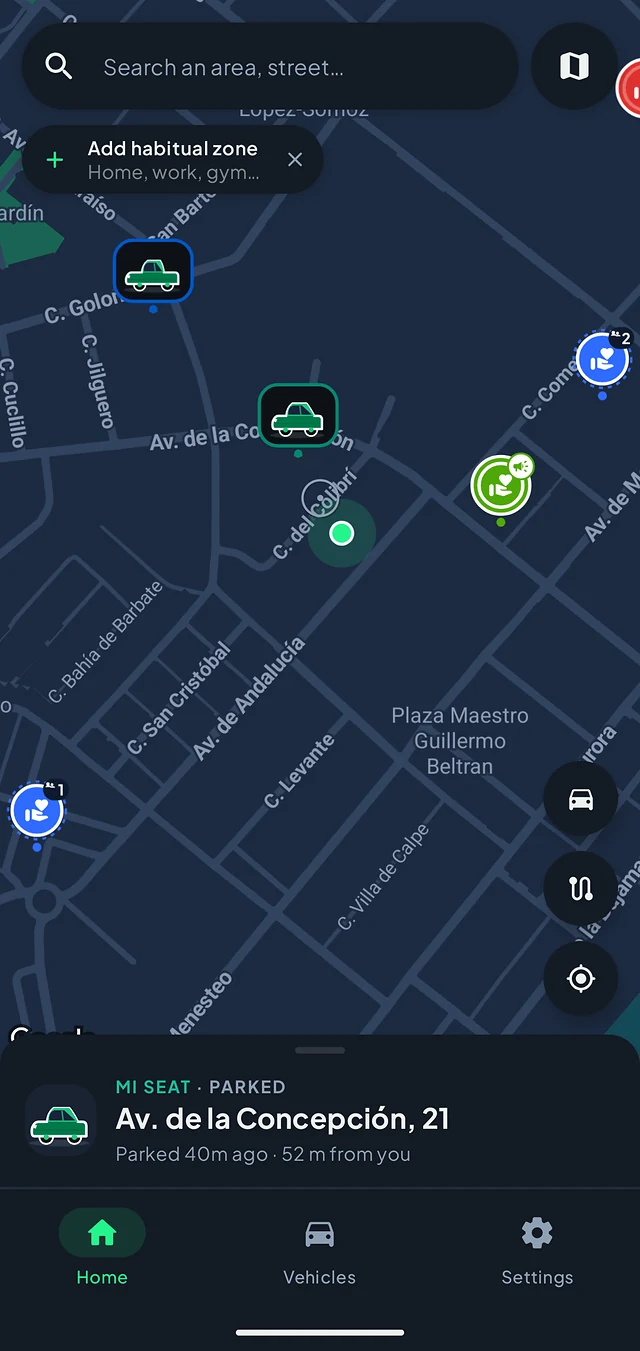
The street you left it on, how long it has been there and how far away you are. Plus the history of your parkings, so you can see where you usually leave it.
Automatic parking detection
Paparcar automatically detects when you park and saves your car's location. When you come back you will know where it is and how long it has been there — without ever having taken your phone out.
Saved automatically
Automatic
No app to open, no pin to drop
9 languages
English, Spanish, Italian, Portuguese…
No ads
Your location is never sold
On your phone
Your plate never leaves it
How it works
Paparcar works while you drive. The only thing you do is open the app when you want to walk back to the car.
01
Paparcar recognises that you are using your car. If the car has Bluetooth and you pair it once, detection is faster and more precise. If it doesn't, the app falls back on movement and location.
02
When the trip ends, Paparcar confirms the parking and saves where the car was left. If it isn't sure what happened, it asks you — it would rather not assume.
03
Open Paparcar and there it is: the street, how long it has been parked and how far away you are. Not quite the right spot? Drag it on the map and save it again.
You don't need to take out your phone to save where you parked.
Features
Everything below is free and complete. None of the map layers sits behind a paywall.
The street you left it on, how long it has been there and how far away you are. Plus the history of your parkings, so you can see where you usually leave it.
Through your car's Bluetooth, which is the most precise method, or through movement and location if your car doesn't have it. Either way the parking is saved without you doing anything.
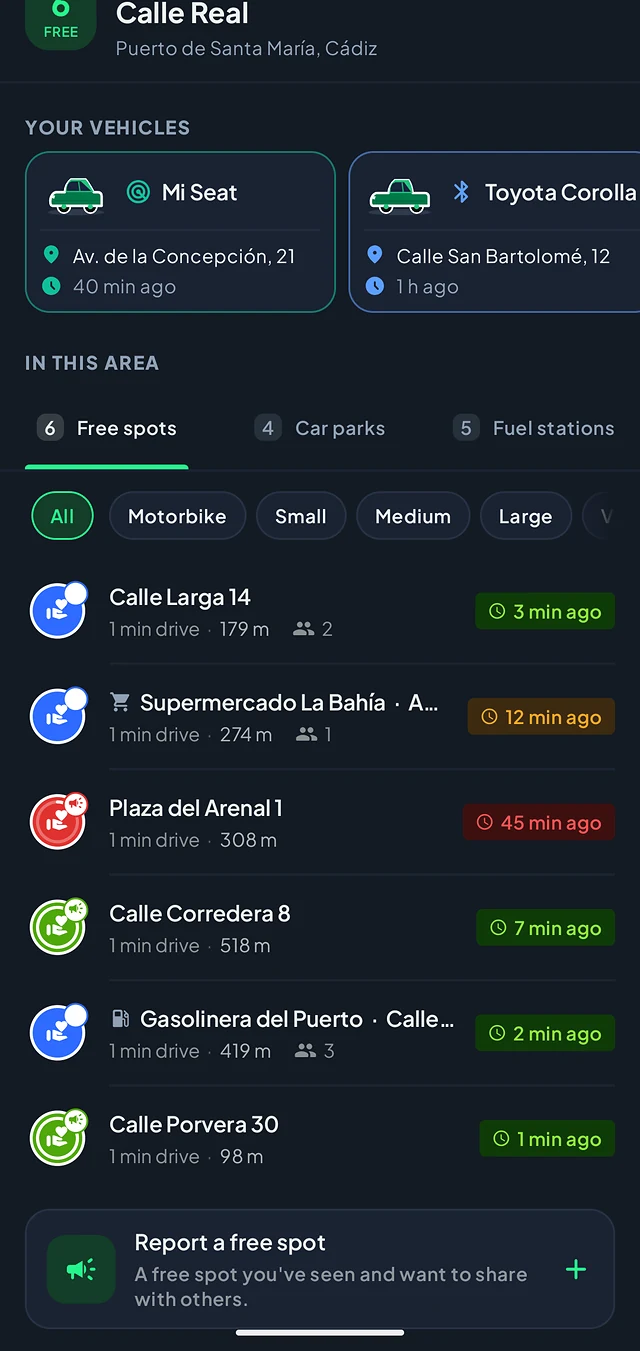
When you leave, the spot you free up can be published for drivers nearby; and you get to see the ones others have just left, each with how long ago it was freed. This information comes from drivers: the more people use Paparcar in your city, the more spots will show up.
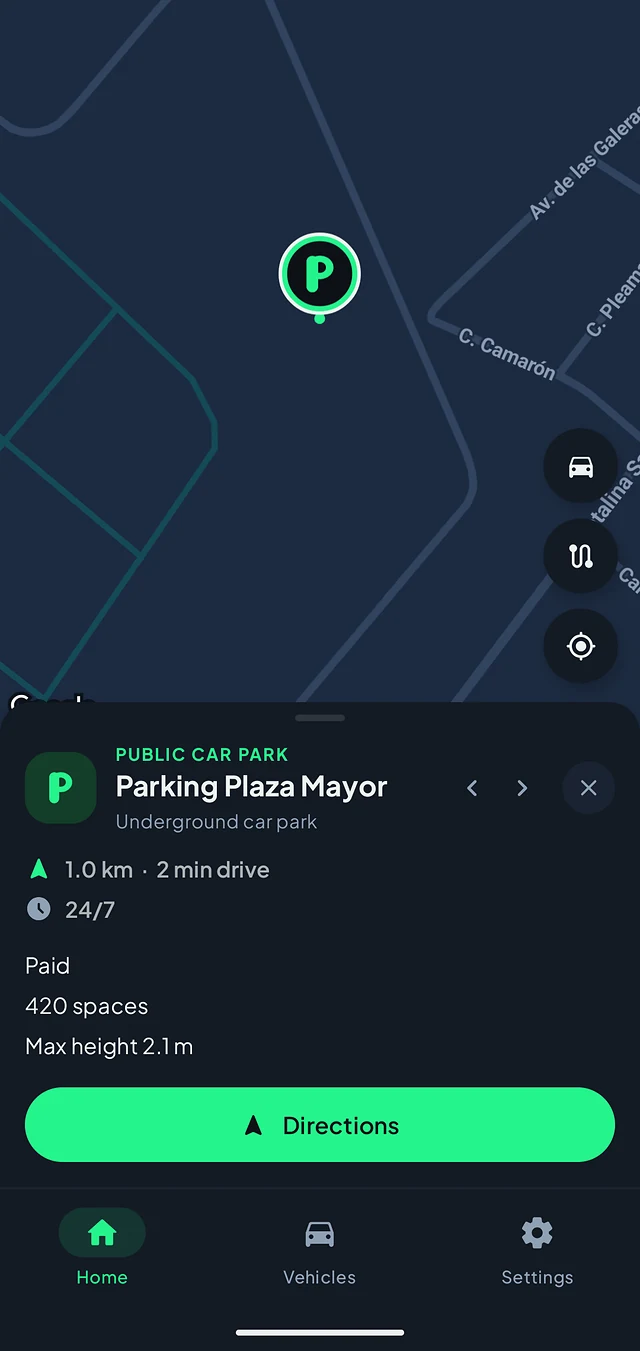
Where they are, whether they charge, opening hours, how many spaces they have and their maximum height. With directions to the entrance.
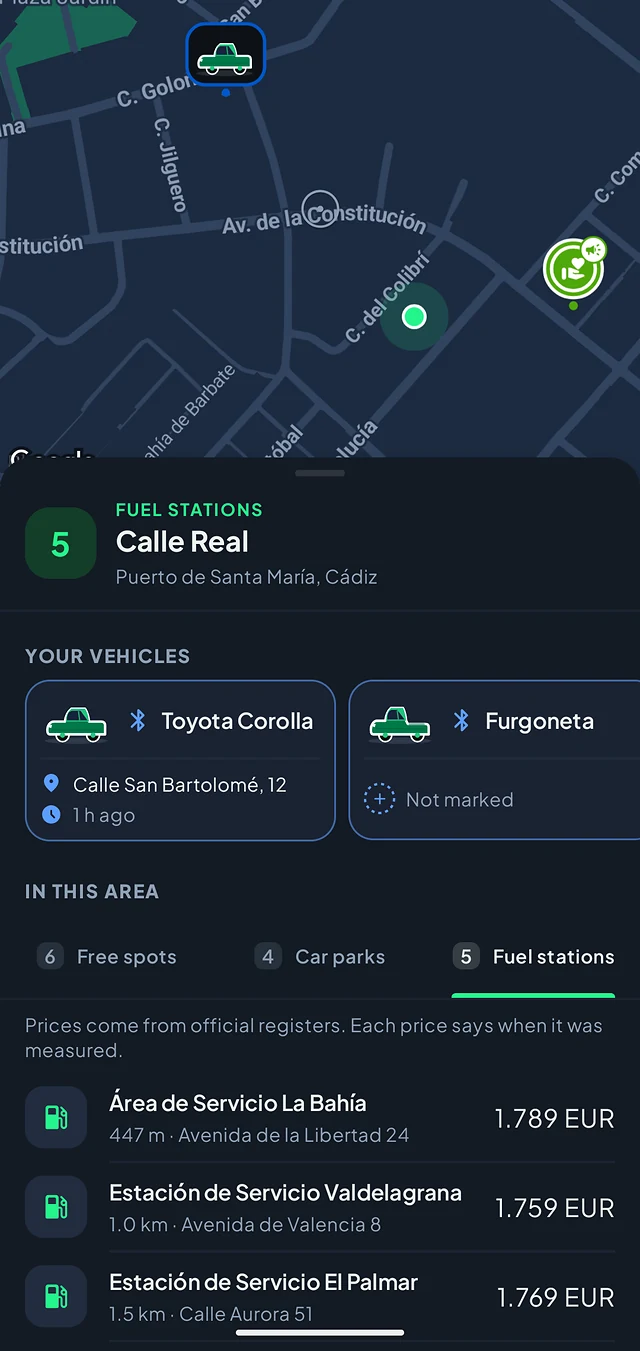
With the price of each fuel and when it was measured. Prices come from official registries; coverage depends on the country.
Your cars and motorbikes, each with its size and body type, so Paparcar can compare a gap with yours before you drive out of your way. And you can share a car with up to four people.
One map
Paparcar brings together what the community frees up and the information about your surroundings that already exists. Not every layer has the same coverage, and the app says so: every spot carries when it was freed, and every price, when it was measured.
Where you left it and since when.
The ones other drivers have just left. They depend on people using Paparcar near you.
Rates, opening hours, spaces and maximum height, from public sources.
Price per fuel, with the date it was measured.
Built so you never take out your phone
The app is made so you don't have to remember to use it. Nothing to open when the trip starts or ends, nothing to tap when you step out of the car.
The app recognises the trip
It detects that you are done
Your car lands on the map
And your spot goes to the next driver
You drive: The app recognises the trip. You park: It detects that you are done. It's saved: Your car lands on the map. You leave: And your spot goes to the next driver (4)
Paparcar Plus
Seeing spots, car parks and petrol stations — with their prices, their rates and how to get there — is free and complete, and it will stay that way. Plus is for when you want the app to work while you are not looking, and to remember beyond the last week.
You ask, the app answers
The app tells you, and remembers for you
Plus is activated from inside the app, where you'll see the plans and the price in your currency. If it lapses, nothing is deleted: alerts are paused, not forgotten.
Get PaparcarPrivacy
Paparcar needs to know where you are in order to tell you where you left the car. This is everything it uses, and what for.
This is the permission that makes automatic detection possible: parking happens exactly when you are not looking at your phone. Without it the app still works, but you will have to mark and release your parkings by hand.
To tell whether you are driving or walking. It is what keeps the app from mistaking a stroll for a trip.
Mark places such as your home or your workplace and Paparcar will not publish a spot there when you leave.
Your number plate stays on the device. Your car's make and model only appear on the spot you free up if you turn that on. Your location is neither sold nor used for advertising, and there are no ads.
You can delete your account and its data from Settings, right away, or request it by email if you no longer have the app.
FAQ
A mobile app that remembers where you parked. It automatically detects when you finish driving and saves your car's location, so getting back to it doesn't depend on your memory. It also shows free spots left by other drivers, public car parks and petrol stations on the map.
Two ways. If you pair your car's Bluetooth, the disconnection as you step out is a precise sign that the trip is over. If your car has no Bluetooth, the app uses movement and location to recognise when you start driving and where you stop. Either way there has to have been real driving: a single stray event never drops a pin.
No — that is the whole point of the app. The button is still there though: you can mark a parking by hand whenever you want, and correct the spot by dragging it on the map if detection left it a few metres off.
Yes, including when the app is closed or not in use, because parking happens when you are not looking at your phone. Without that permission Paparcar still works, but you lose the automatic part: marking and releasing parkings will be up to you.
Yes. Detection runs in the background and needs neither the app open nor the screen touched. On some phones it helps to remove Paparcar's battery restrictions, since the system can delay background work; the app itself tells you in Settings when that's the case.
Yes. Each vehicle has its own size, body type and Bluetooth, and a parking is saved against the right car. The free version includes one vehicle of your own; with Plus there is no limit. You can also share a car with up to four people so everyone sees where it was left.
They are street spots other drivers have just freed up, which show on the map for a while. They come from community activity: when someone leaves, their spot can be published for whoever is nearby. That is why the more drivers use Paparcar in your city, the more spots you will see. We don't promise a spot will always be there, and each one says when it was freed so you can decide whether it is worth the drive.
Paparcar is built to come up short rather than be wrong: in doubt it asks you instead of assuming a parking. If a trip slips through, you can mark the spot by hand in two taps, and you can correct or delete any parking in your history.
The paid tier. Seeing the map — spots, car parks and petrol stations — is free and complete. Plus adds what requires the app to work for you: alerts when a spot appears in your zones or when a station you follow drops its price, history and stats without the 7-day limit, unlimited cars and zones, and the shared car. Plans and pricing are shown inside the app.
From the app, in Settings → Delete account, and it is removed straight away. If you no longer have the app, email us from your account's address and we will delete it within 30 days.
Download it, pair your car once, and forget about it. Next time you have no idea where you left it, the app will already know.